Item Entries
All content scraped from an external resource is categorized as either text or multimedia (images, audio, and video). It is important to note that, due to copyright restrictions, it was decided not to store multimedia files in the Informfully database (the system only stores the URL to the media object). This has the advantage of reducing the load on the Informfully server as the media item is streamed from the original host. The disadvantage is that if the source removes the file, users in Informfully can no longer access it. If the item modality is text, however, the system will create and store a copy after applying data augmentation/pre-processing steps.
| Attributes | Type | Description |
|---|---|---|
_id | String | ID of article |
articleType | String | Can be one of three: text, video, or podcast. Indicates whether the article contains a video, audio, or only text. |
title | String | Title of the article. |
lead | String | Lead of the article. |
body | Array of Objects | Contains the article text as paragraphs. The paragraphs are objects of the array, and they have two properties: type (String) and text. |
url | String | URL through which the article can be accessed. |
image | String | Optional field, the URL to the cover image of the article. |
multimediaURL | String | Contains a link to a video or audio file. The field should be set to null if empty. Should be consistent with the field articleType (meaning that if we have a text articleType, multimediaURL is set to null). |
multimediaDurationInMillis | Integer | The length of the multimedia file (video or audio) in ms. Should be set to 1 if articleType is text. |
datePublished | Date | Time at which the article was published on the news outlet's website. |
dateScraped | Date | Time at which the article was scraped. |
dateUpdated | Date | Outlets might update the article's contents. Instead of creating a new article, the contents of the previous version are updated. |
dateDeleted | Date | Optional field, we are sometimes asked by the outlets to remove articles. Instead of deleting them, we add a dateDeleted entry. Articles with this entry will not be shown. |
author | String | Can also be a press agency or sponsored content. In case of multiple authors, separate them with a comma (,) symbol. |
outlet | String | Current options include BLICK, NZZ, TAGI, SRF, WOZ, or WW. |
primaryCategory | String | The category of an item. |
subCategories | Array of Strings | The sub-categories of an article. This information is not always provided. |
language | String | Language code of the article (e.g., en-US, de-CH, etc.) |
INFO
Be aware that Android devices can only handle websites secured by an SSL certificate (i.e., only HTTPS websites, not HTTP websites). Therefore, data fields such as url or multimediaURL should only contain URLs for HTTPS websites. Please visit the Scraper Documentation page to get access to sample code that scrapes and adds item entries to the back end.
When creating item entries, we recommend setting default values for each field. If we used non-existing fields to signify the absence of an attribute, we would have to use the $exists keyword to distinguish between articles that do and do not feature certain attributes. This use of the $exists operator, however, cannot use any index and results in lower overall performance. Items will be rendered as follows inside the app:
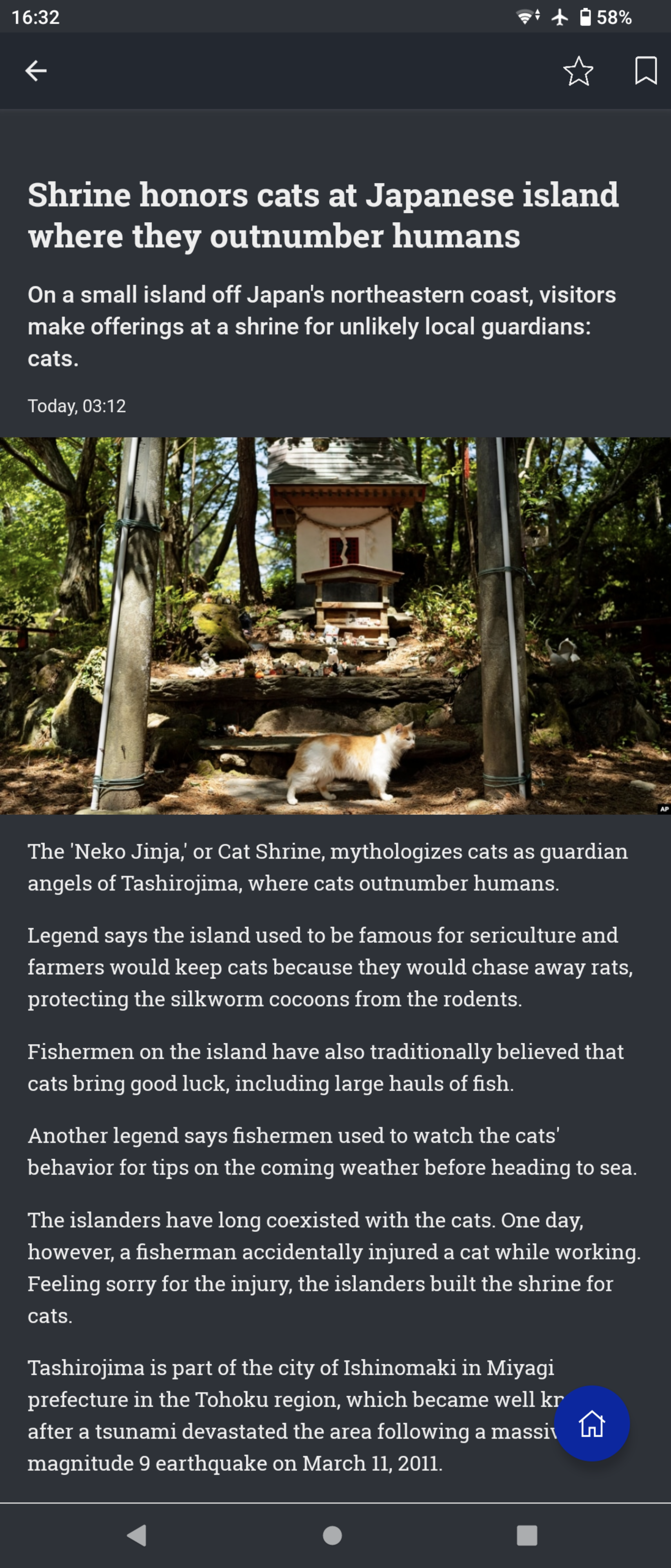
For a text item, the top of the interface displays a thumbnail preview specified in the image attribute. For a multimedia item (podcast or video), a multimedia player will load the specified image as a thumbnail.
The body consists of a list of elements. There are currently three types of elements that are supported:
textfor unformatted text,subtitlefor adding a new paragraph and subtitle to the text, andquotefor a cursive, indented quote block.
A sample `body`` element of an item looks like this:
  "body": [
    {
      "type": "text",
      "text": "This is the normal \"text\" option used to show text within the item view."
    },
    {
      "type": "subtitle",
      "text": "This is the \"subtitle\" option that creates a new paragraph with a larger font size compared to regular text."
    },
    {
      "type": "quote",
      "text": "This is the \"quote\" option that creates an indented paragraph with the same font size as regular text."
    }
  ]