Experiment Scheduling and Live Feed-Mode Control
The app offers two feed modes: the list-based Normal mode and the swipe-based TikTok mode. From the admin website you can:
- assign different participant groups to different modes,
- change a group's mode while the app is running — the switch reaches every participant in that group within seconds, with no reinstall or restart, and
- plan mode switches ahead of time instead of flipping them by hand at awkward hours (e.g. "group A switches to TikTok every day at 07:00").
One-Off and Recurring Switches
You can schedule two kinds of mode switch:
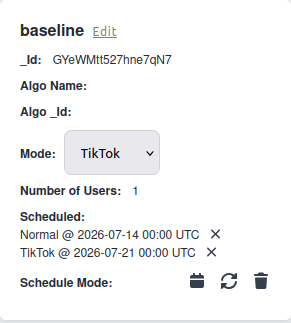
- One-off — a single switch at a specific date and time.
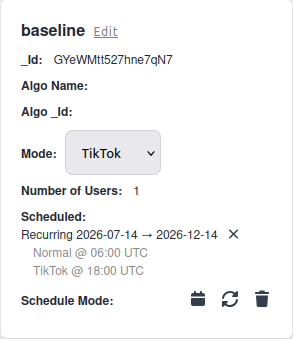
- Recurring — a daily pattern over a date range, e.g. Normal mode from midnight and TikTok mode from 07:00 each day.
INFO
All times are interpreted in UTC, so a scheduled switch happens at the same absolute moment regardless of where participants are located.
Creating and Managing Schedules
You create one-off and recurring schedules from the user-group admin page, see a list of upcoming switches with their status, and can cancel them. Cancelling a recurring schedule cancels its still-pending switches but keeps the ones that already happened on the record.