Survey Tool
Informfully has a fully integrated tool for user surveys. Below, you can find an overview of the features and functionalities of the survey editor. Any survey created this way will be added to the currently selected experiment. It is shown to all user groups within the experiment.
INFO
When creating surveys, every question is added to an experiment-specific question pool. This allows experimenters to reuse existing questions. When users answer the survey questions, the back end will store their answers, along with a copy of the question string and the question ID. This allows experimenters to edit the question pool while preserving the original question asked of the users when evaluating the answers.
Screenshot Activation: Activating/deactivating a survey and deleting it is done via the activation button. When the option is enabled, users will be prompted to complete the survey immediately. They need to complete it in order to continue using the app.
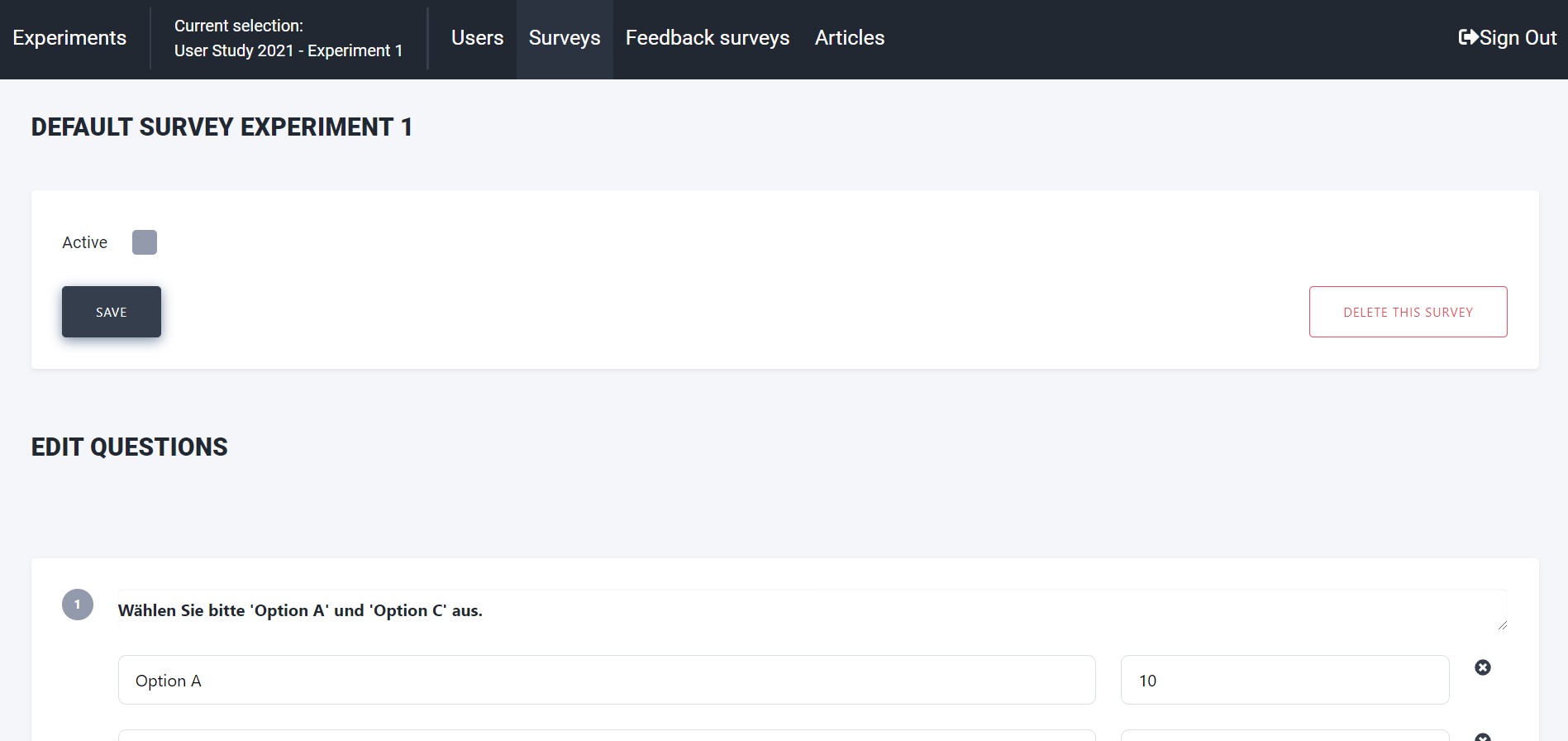
Screenshot Editor: Adding questions and answers is done via the user interface. There is no limit to the number of questions that can be added to a survey. Similarly, there is no limit to the number of predefined answers that can be added to a question.
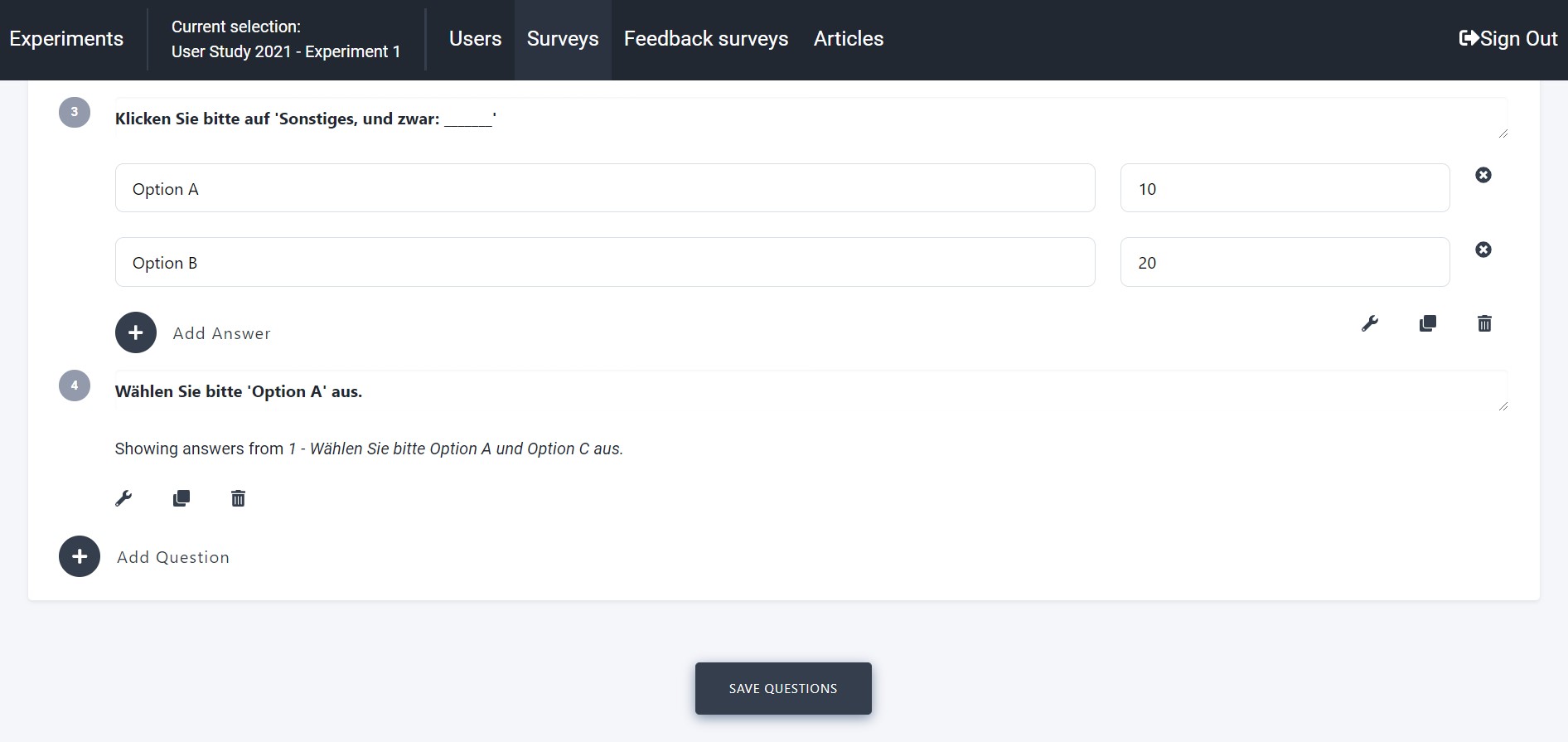
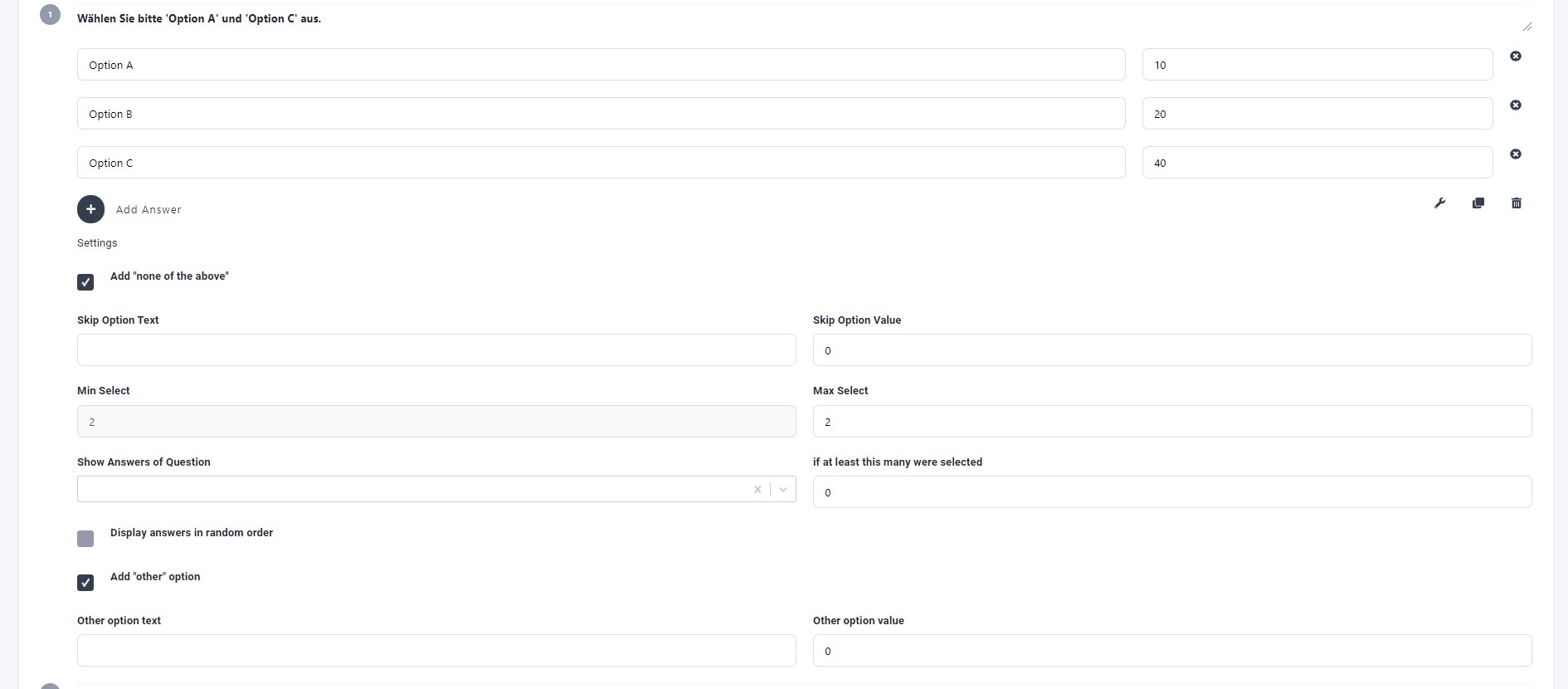
Screenshot Questions: Customizing questions, providing default answers/values for scripts to process, etc. There is a range of different questions to choose from. Free text, replies to previous questions, and so on, can all be selected.
The surveys generated on this page are, by default, experiment-specific. This means that all users within a given experiment will receive the same survey at the same point in time. For use cases involving group-specific surveys, we recommend creating two user experiments and running them in parallel.